Compression vs Latency Showdown: Why Your System Can't Have It All (And How to Pick Your Battles)
So you're building a system that needs to handle millions of requests, and suddenly you're faced with this classic dilemma: do you compress everything to save bandwidth and storage costs, or do you skip compression to keep latency as low as possible?
It's like choosing between a sports car and a moving truck. One gets you there fast, the other carries more stuff. But here's the thing, you can actually have both if you're smart about it.
What's Really Going On Here?
Let me break this down without the marketing fluff. Compression is basically trading CPU cycles for bandwidth and storage space. Every time you compress data, you're saying "I'll spend some processing time now to save network transfer time and storage costs later."
But here's where it gets interesting. The relationship isn't linear, and the "right" choice depends on a bunch of factors that most people don't think about.
The Real Cost of Compression
When you compress data, you're not just adding a simple processing step. You're creating a whole pipeline:

Each step has its own latency characteristics, and they don't always play nice together.
The Algorithms That Actually Matter
Let's talk about the compression algorithms you'll actually use in production, not the theoretical ones from computer science textbooks.
LZ4: The Speed Demon
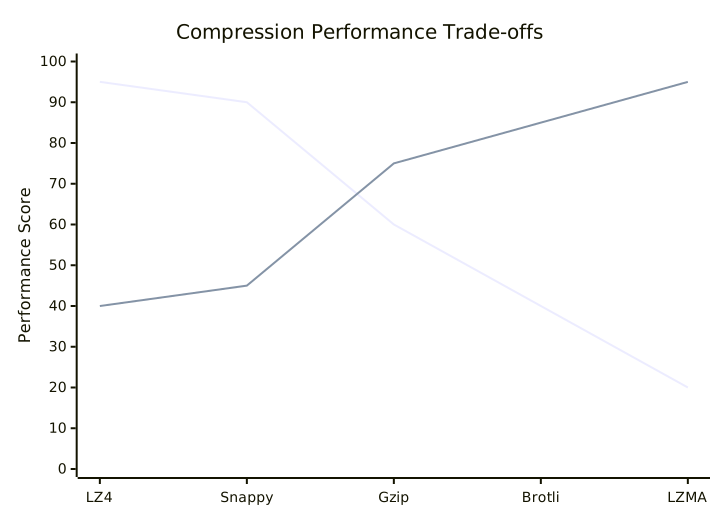
LZ4 is like that friend who gets things done fast but maybe not perfectly. It compresses data quickly with decent ratios, making it perfect for real-time applications.
When to use it:
- Real-time gaming data
- Live streaming metadata
- API responses under 50ms latency requirements
Real-world example: Discord uses LZ4 for voice data compression because they need sub-20ms latency for real-time communication.
Gzip: The Reliable Workhorse
Gzip is the Honda Civic of compression algorithms. Not the fastest, not the most efficient, but it works everywhere and does a solid job.
When to use it:
- Web API responses
- Log file compression
- General-purpose data where you need broad compatibility
Brotli: The Efficiency Expert
Brotli is newer and more efficient than Gzip, but it takes more CPU time. It's like upgrading from a regular engine to a hybrid, better efficiency but more complexity.
When to use it:
- Static asset compression
- Large file transfers
- Situations where bandwidth costs more than CPU time
Here's a practical comparison:
When Compression Actually Hurts Performance
Here's something most articles won't tell you: compression can make your system slower, even when it reduces bandwidth usage.
The Small File Problem
Compressing files under 1KB often makes them larger due to compression overhead. It's like using a shipping container for a single envelope.
The Already-Compressed Problem
Trying to compress JPEG images or MP4 videos is like trying to squeeze water out of a rock. You'll waste CPU cycles for zero benefit.
The CPU-Bound Problem
If your system is already maxed out on CPU usage, adding compression is like asking someone who's already juggling to also solve math problems.
The Smart Way to Balance Both
Instead of choosing one or the other, modern systems use adaptive strategies. Think of it as having multiple gears in a car, you shift based on conditions.
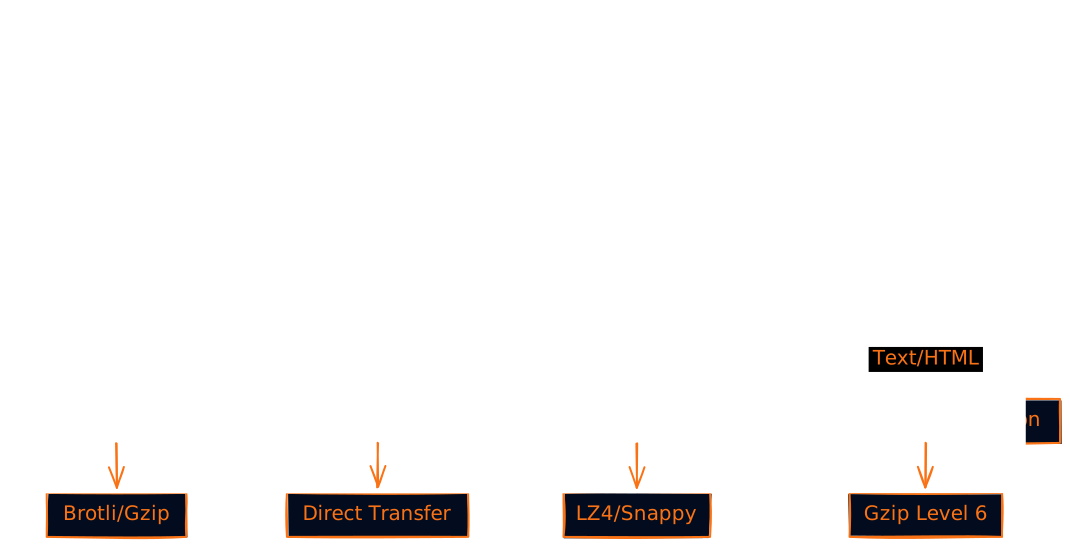
Content-Aware Compression
Different data types need different approaches:
Size-Based Decision Making
Here's a practical algorithm that actually works in production:
def should_compress(data_size, content_type, latency_budget):
    # Skip compression for tiny payloads
    if data_size < 500:
        return False, "none"

    # Skip for already compressed content
    if content_type in ['image/jpeg', 'video/mp4', 'application/zip']:
        return False, "already_compressed"

    # Choose algorithm based on size and latency requirements
    if latency_budget < 10:  # Ultra-low latency
        return data_size > 5000, "lz4"
    elif latency_budget < 50:  # Low latency
        return data_size > 1000, "gzip_fast"
    else:  # Normal latency tolerance
        return data_size > 500, "brotli"
Real-World Architecture Patterns
Let me show you how this actually works in practice with some architecture patterns that companies use.
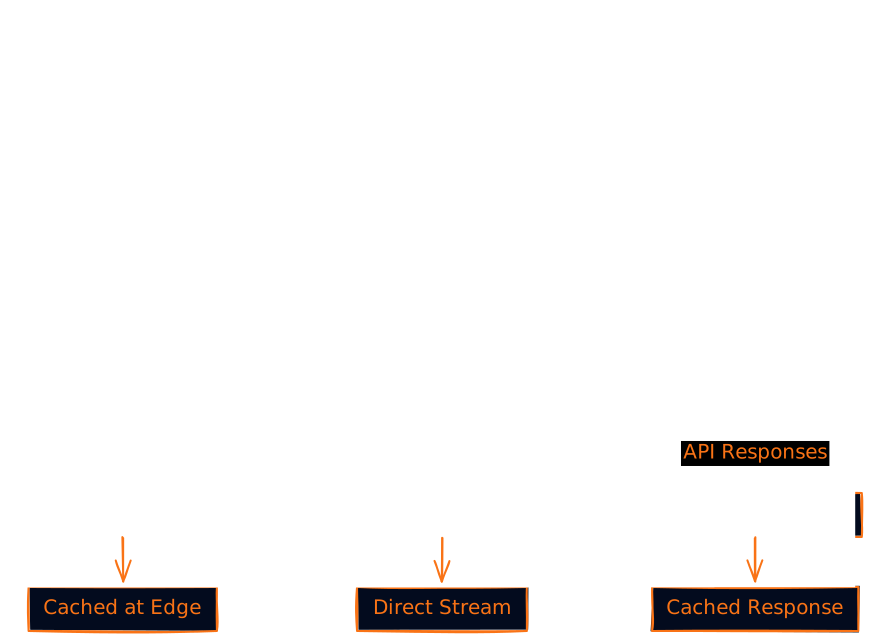
The Netflix Approach: Tiered Compression
Netflix uses different compression strategies for different parts of their system:
The Gaming Industry Pattern: Latency-First
Online games prioritize latency over everything else:
- Player position updates: No compression (sub-16ms required)
- Chat messages: Light compression (LZ4)
- Asset downloads: Heavy compression (Brotli/LZMA)
The Financial Trading Pattern: Selective Compression
High-frequency trading systems are extremely selective:
- Market data feeds: No compression (microsecond latency required)
- Historical data: Heavy compression (storage costs matter)
- Risk calculations: Moderate compression (balance of both)
The Hidden Costs Nobody Talks About
Memory Usage Patterns
Compression doesn't just use CPU, it also uses memory. Some algorithms need to buffer entire datasets before they can start compressing, which can cause memory spikes.
Battery Life on Mobile
On mobile devices, compression can actually save battery life by reducing radio usage, even though it uses more CPU. The radio is often the biggest power drain.
Cache Efficiency
Compressed data fits more efficiently in caches, which can improve overall system performance even if individual requests are slightly slower.
Practical Implementation Strategies
Strategy 1: Progressive Compression
Start with no compression and gradually add it based on data size:

Strategy 2: Adaptive Compression
Monitor performance and adjust compression levels dynamically:
class AdaptiveCompressor:
    def __init__(self):
        self.performance_history = {}
        self.current_cpu_usage = 0
        self.current_bandwidth_usage = 0

    def choose_compression_level(self, data_size):
        # If CPU usage is high, reduce compression
        if self.current_cpu_usage > 80:
            return "lz4" if data_size > 5000 else "none"

        # If bandwidth usage is high, increase compression
        if self.current_bandwidth_usage > 80:
            return "brotli" if data_size > 1000 else "gzip"

        # Default balanced approach
        return "gzip" if data_size > 2000 else "none"
Strategy 3: Compression Caching
Cache compressed versions to avoid recompressing the same data:
import hashlib
from functools import lru_cache

class CompressionCache:
    def __init__(self):
        self.cache = {}

    def get_or_compress(self, data, algorithm):
        # Create cache key from data hash
        key = hashlib.md5(data).hexdigest() + "_" + algorithm

        if key in self.cache:
            return self.cache[key]

        # Compress and cache
        compressed = self.compress_with_algorithm(data, algorithm)
        self.cache[key] = compressed
        return compressed
Monitoring and Optimization
You can't optimize what you don't measure. Here are the key metrics to track:
Essential Metrics
- Compression Ratio: How much space you're actually saving
- Compression Time: CPU overhead per request
- End-to-End Latency: Total time including compression/decompression
- Cache Hit Rate: How often you avoid recompression
- Bandwidth Savings: Actual network traffic reduction
Performance Monitoring Dashboard
Common Mistakes and How to Avoid Them
Mistake 1: Compressing Everything
Just because you can compress something doesn't mean you should. I've seen systems that compress 100-byte JSON responses and wonder why their latency increased.
Fix: Set minimum size thresholds and content-type filters.
Mistake 2: Using Default Compression Levels
Most libraries default to moderate compression levels that might not be optimal for your use case.
Fix: Benchmark different levels with your actual data and traffic patterns.
Mistake 3: Ignoring Decompression Costs
You might optimize compression time but forget that clients also need to decompress the data.
Fix: Measure end-to-end performance, including client-side decompression.
Mistake 4: Not Considering Network Conditions
A compression strategy that works great on fast networks might be terrible on slow mobile connections.
Fix: Implement adaptive strategies that consider network conditions.
The Future of Compression vs Latency
Hardware Acceleration
Modern CPUs and specialized chips are making compression faster. Intel's QAT (QuickAssist Technology) and similar technologies are changing the game.
Machine Learning Optimization
Some companies are using ML to predict optimal compression strategies based on content patterns and system conditions.
Edge Computing Impact
With edge computing, you can do heavy compression at the edge and light compression for the final hop to users.
Making the Right Choice for Your System
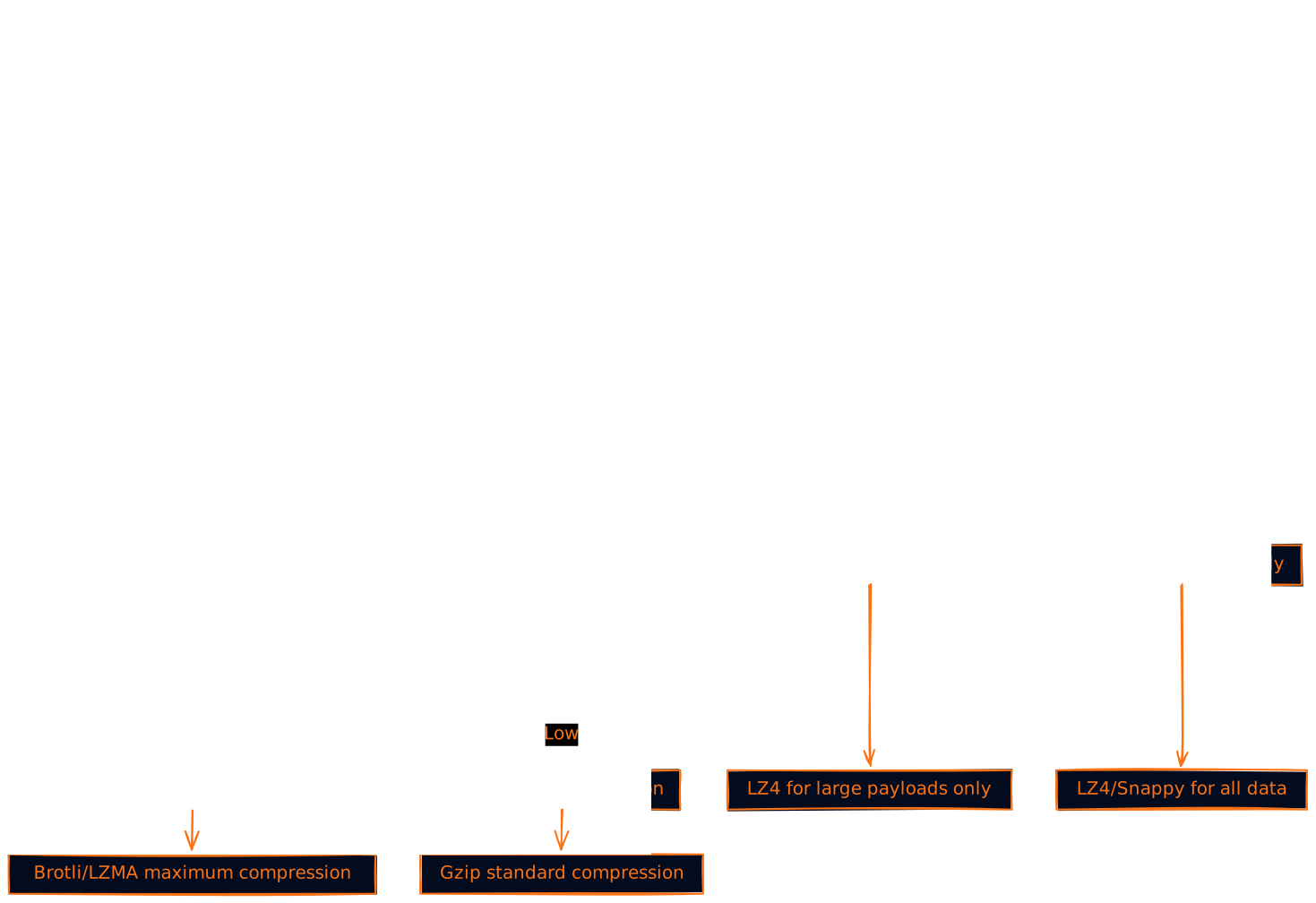
Here's a decision framework that actually works:
Step 1: Identify Your Constraints
- What's your latency budget? (< 10ms, < 50ms, < 200ms, don't care)
- What's your bandwidth situation? (unlimited, expensive, limited)
- What's your CPU capacity? (abundant, moderate, constrained)
Step 2: Categorize Your Data
- Real-time data (gaming, trading, live chat)
- Interactive data (API responses, web pages)
- Bulk data (file transfers, backups, analytics)
Step 3: Choose Your Strategy
Wrapping Up: It's All About Context
The compression vs latency debate isn't really a debate at all. It's about understanding your specific context and making informed trade-offs.
Here's what I've learned after dealing with this in production systems:
- Start simple: Begin with basic gzip compression and measure everything
- Be selective: Not all data needs the same treatment
- Monitor continuously: Performance characteristics change as your system grows
- Optimize for your users: A gaming platform has different needs than a file storage service
The best systems don't choose compression OR latency, they choose the right compression strategy for each situation. It's like having a toolbox instead of just a hammer.
Remember, premature optimization is the root of all evil, but so is ignoring performance until it's too late. Find your balance, measure your results, and adjust as you grow.
What compression strategies have worked (or failed spectacularly) in your systems? The real learning happens when we share war stories from the trenches.
Want to dive deeper into system design trade-offs? Check out our other posts on caching strategies, database sharding patterns, and microservices communication protocols.